Apps that Can Organize Your Life Effortlessly Now
According to the World Health Organization, more people globally own a mobile phone than have access to an improved toilet. It shows how central our devices have become to daily life and why organization apps matter now more than ever. With the right tools, you can turn that phone into a personal assistant that keeps you on track. These apps streamline tasks, reminders, and notes in one place. Use powerful life organizer apps like Todoist, Notion, and Google Keep to effortlessly manage tasks, schedules, and notes all in one place.
Many people juggle work deadlines, personal tasks, and social events in a single day. Losing track of one small item can add stress and wasted time. By embracing apps that sync across devices, you can cut down on clutter and focus on what really matters. This guide explores top apps and tips to keep your digital life tidy and your mind clear for action.
Why You Need Apps
Digital clutter can slow you down. On average, smartphone users install over 80 apps but open just nine daily. That gap often includes useful organization tools that go unused. When you load a handful of well-chosen apps, you replace random reminders with structured lists and clear priorities.
Using apps for tasks, notes, and routines turns chaos into habit. You get notifications exactly when you need them. You can tag, archive, and track progress without flipping through sticky notes. Cloud sync ensures that your data is the same on your phone, tablet, and computer.
Practical tip: start with one category—say task management—and master that app for two weeks. Once it becomes second nature, add a notes tool or habit tracker. Small wins build trust in digital helpers. Soon, your phone will feel less like a distraction and more like a reliable partner in daily success.
Task Management Apps
To stay on top of work and life, a strong to-do list is key. Here are three top apps that fit different styles and platforms. Each app offers reminders, due dates, and cross-device sync to keep you on schedule.
- Todoist: Clean interface, natural language input, and project labels. You can set priorities with color codes and even track productivity trends each month.
- Microsoft To Do: Deep Outlook integration and simple list layouts. It automatically syncs with Microsoft 365 and lets you break tasks into smaller steps.
- Asana: Ideal for team projects. It offers boards, timelines, and assignable tasks. You can comment, attach files, and see your team’s workload at a glance.
Tip: Plan your day the night before. Use the “Tomorrow” view in Todoist or Microsoft To Do to pre-load tasks and get a head start. Active planning reduces decision fatigue and keeps your calendar realistic.
Note Taking Hub
Notes often split between paper, voice memos, and email drafts. A unified hub solves that. Notion and Evernote top the list for flexibility and power. They let you store text, images, tables, and even code snippets in one space.
In Notion, create templates for meeting minutes, book summaries, and shopping lists. In Evernote, use tags and notebooks to categorize ideas fast. Both apps offer web clips and rich text editing so you never lose research.
Sound of Text can enhance your note review. You can convert long meeting notes into quick spoken summaries with services that convert text to natural-sounding speech. Hearing your notes helps reinforce learning when reading feels slow.
Pro tip: At the end of each week, review your notes hub. Archive or delete outdated items. That small habit keeps your workspace lean and focused on what’s relevant right now.
Habit Trackers
Building new habits is easier when you track them daily. Habit apps offer streaks, rewards, and reminders. They turn abstract goals into clear targets you can check off.
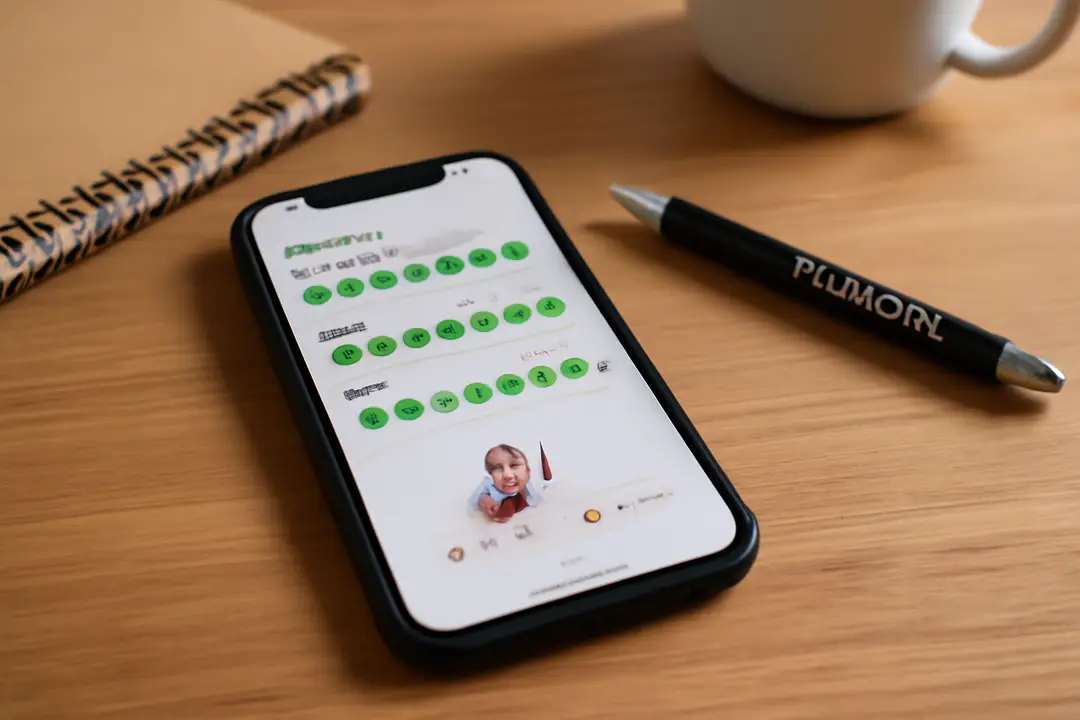
- Habitica: Gamifies habit building with levels, avatars, and rewards. You earn points for completing tasks and can team up with friends for accountability.
- Streaks: Simple, colorful interface that shows how many days in a row you’ve met a goal. Great for iOS users who want minimal setup.
- HabitBull: Detailed stats and flexible scheduling. Track habits by time of day or by specific days of the week, and get motivational quotes to keep you going.
Data shows that visual progress boosts motivation. Seeing a long streak makes you want to keep the chain unbroken. Tip: tie a new habit to an existing routine. For example, do push-ups right after brushing your teeth to anchor the action.
Calendar Scheduling
A central calendar prevents double-booking and missed appointments. Google Calendar is a top choice since it syncs everywhere and integrates with most tools. Apple Calendar and Outlook also work well in certain ecosystems.
Follow these steps to streamline event planning:
- Open Google Calendar on your device.
- Create a new event and add title, time, and location.
- Click “Add notification” and choose email or pop-up alert.
- Use “Find a time” to avoid conflicts if you share your calendar.
- Enable sync in your phone’s settings so you see alerts live.
Pro tip: Color-code personal, work, and family events. A single glance shows where your attention is needed. If you work with teams, share a calendar view so everyone stays aligned on deadlines and meetings.
Automated Workflows
Manual data entry wastes time. Automation apps like IFTTT and Zapier link your favorite tools and handle repetitive tasks. You can set triggers such as “New email from boss” and actions like “Create task in Todoist.”
Sound of Text can power audio alerts in these workflows. For example, you might use a Zapier recipe that sends new Todoist tasks to a text-to-speech service and delivers an MP3 reminder. This approach taps into the benefits that text-to-speech-save-time-and-money solutions deliver.
Practical tip: Start with a simple trigger-action pair. For example, save new calendar events to a Google Sheet automatically. Then build more complex chains, like sending yourself a daily summary at 6 PM. Explore pre-made applets in IFTTT to get ideas for your own unique setup.
Conclusion
Getting organized doesn’t mean stuffing your phone with every app available. It’s about choosing a few powerful tools and using them consistently. Start by picking one task app, one notes hub, and one habit tracker. Give each tool a chance to prove its value over two weeks.
Remember to review and prune unused features. Keep your workflows simple and evaluate automation only when it saves you real time. With the right mix—Todoist for tasks, Notion for notes, Google Calendar for events, and IFTTT for automation—you can feel confident that nothing slips through the cracks. Incorporate Sound of Text into your habit or workflow for hands-free audio reminders. With these apps working in harmony, your day will flow more smoothly, leaving space for creativity and rest.